LoanWise Calculator
- 3.0
- Rating
- 1.00M
- Installs
- Free
- Price

 Analysis by App-foxy
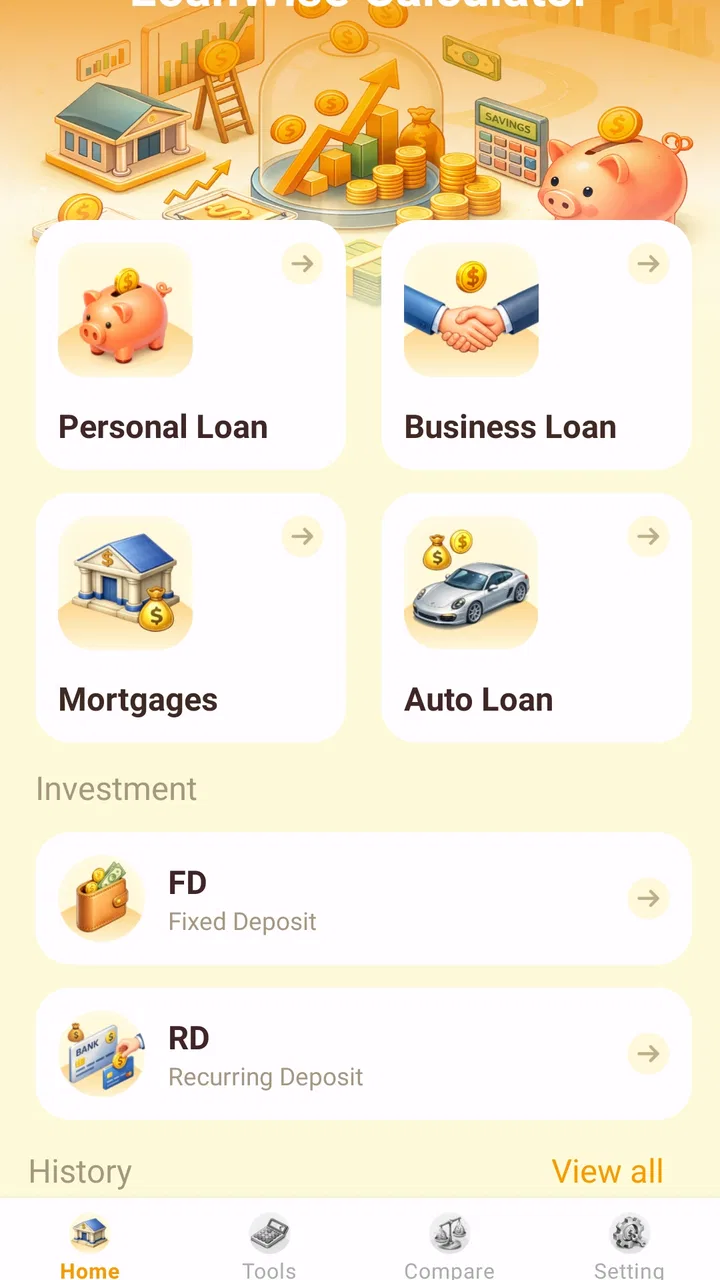
When I need a quick answer to “what would this loan cost me?” I usually do not want a full budgeting suite or a complicated financial dashboard. I want a focused calculation that helps me compare an offer before I spend time applying. LoanWise Calculator takes that narrower approach, concentrating on loan EMI estimates and deposit-interest calculations rather than trying to become an all-purpose money manager.
That focus is the main reason I found it useful. It is a free finance app from Anuoluwapo Product Limited, rated for Everyone, and its simple presentation makes it approachable for someone who is not comfortable with financial terminology. It has passed the one-million-install mark, although its average rating sits at 3.0 from roughly 600 ratings, so I would not treat it as a universally loved tool. My own view is more measured: it can be handy for early comparisons, but its results should support a decision, not replace the lender’s official repayment schedule.
A focused calculator for comparing borrowing and saving choices
The app’s most valuable capability is the ability to estimate a loan’s EMI, or equated monthly installment. In everyday terms, that means turning a proposed borrowing amount, interest rate, and repayment period into a monthly figure that is easier to understand than a headline rate alone. It also covers deposit-interest calculations, which gives it a useful second role when I am comparing the possible return on money I plan to leave in an interest-bearing deposit.
You May Also Like

 Blood Strike: 2.5 Anniversary
Blood Strike’s Loadouts Turn Every Drop Into a Tactical Gamble
A close look at Blood Strike’s custom loadouts: how fast access to signature weapons reshapes its battle royale rhythm, rewards preparation, and narrows the gap between fights.

 Pandora - Music & Podcasts
Pandora’s Music Is Easy to Start, but Harder to Recover
Pandora’s strength is its low-effort path from a seed to a station. Its weak spot is how much confidence it asks you to place in connection, setup, and quiet recovery.

 8 Ball Pool
 Is Built on Rivalries, Rematches, and Routine
A close look at the rivalries, rematches, shared routines, and unanswered safety questions that turn a quick pool match into a persistent mobile community.

 Samsung Music
’s Quiet Strength Is Playing What You Already Own
Its reach comes less from spectacle than from dependable access to a personal library. That simplicity is both the app’s strongest retention engine and its ceiling.

 AccuWeather: Weather Radar
AccuWeather Review: A Quick, Clear Forecast for Everyday Decisions
For everyday plans, the best forecast is the one you can understand quickly. AccuWeather makes rain timing, radar, and local conditions easy to act on, with a few trade-offs.

 Hill Climb Racing
Why Hill Climb Racing Still Turns Crashes Into One More Run
A tiny car, a bumpy hill and one more upgrade: Hill Climb Racing keeps resurfacing because its simple chaos makes every near-miss feel personal.
More From Our News Desk



I like this capability because monthly affordability is often where a financial decision becomes real. A loan may look manageable when described as a single principal amount, yet the recurring payment can place very different pressure on a household budget. Conversely, a deposit may seem worthwhile because of its advertised rate, but the actual interest outcome depends on the amount and term. A calculator that lets me translate both situations into concrete estimates is more practical than simply reading financial definitions.
There is an important distinction here: this is an estimation tool, not a lender, broker, account provider, or personal financial adviser. It does not turn an estimate into an approval, and a calculated EMI should not be mistaken for the exact amount a bank or finance company will collect. Fees, taxes, insurance, changing rates, rounding methods, payment timing, and special repayment conditions can all alter the final result. I use the app to decide which questions to ask next.
The narrow scope also makes the app easier to understand than many larger finance products. A budgeting app might track spending, categorize transactions, connect accounts, and show long-term trends, but those extra functions can distract from a single comparison. LoanWise Calculator is better viewed as a quick financial scratchpad: enter a scenario, inspect the estimate, and decide whether that scenario deserves a closer look.
What the EMI calculation helps me see
The strongest benefit is not merely obtaining one monthly number. It is being able to think in trade-offs. If I lengthen a repayment period, the monthly burden may become easier to fit into my budget, while the total interest can move in the opposite direction. If I shorten the term, the regular payment may feel heavier, but the overall cost may be more attractive. The calculator gives me a starting point for that comparison without forcing me to do the arithmetic manually.
I also find it useful to compare the same borrowing amount at different rates. A small change in the rate can matter over many payments, and looking only at the monthly figure can hide the broader cost. My practical habit is to write down both the estimated installment and the total amount implied by the schedule, then compare those figures with my dependable monthly income rather than with an optimistic month.
For deposits, the same discipline applies in reverse. I can use the interest calculation to estimate what a fixed amount might produce over a chosen period, then compare that result with the flexibility I would lose by locking the money away. That is a more useful question than “which rate is higher?” A slightly lower return may be preferable if withdrawing early, adding money, or accessing the funds matters more to me.
How I would use it before accepting a loan
I would begin with the exact principal I am considering, not the maximum amount a lender says I could borrow. Next, I would enter the quoted rate and repayment period as carefully as possible. The point is not to create a flattering scenario. It is to test whether the proposed payment still looks comfortable after allowing for rent, utilities, food, transport, existing debt, and irregular expenses.
After getting the first estimate, I would run at least two alternatives. One could use a shorter term, and another could use a smaller principal. This reveals whether the problem is the length of the loan or the amount being borrowed. If reducing the principal makes the payment comfortable while extending the term barely helps, borrowing less may be the cleaner solution. If the principal is fixed, the comparison can show whether the repayment period deserves negotiation.
A useful but easily missed step is to keep the app’s estimate separate from the lender’s quoted total. If the numbers disagree, I would not immediately assume the calculator is wrong. I would check whether the lender includes an arrangement fee, insurance, taxes, a different interest method, a first-payment adjustment, or a variable rate. The disagreement itself is valuable because it tells me exactly what needs clarification before signing.
I would also avoid entering rounded figures when I have a formal offer in front of me. A rough estimate is fine while I am browsing possibilities, but once I am comparing two real offers, the principal, rate, and term should match the documents as closely as the app allows. That makes the output more useful as a discussion point, even though it remains an estimate.
A realistic everyday scenario
Imagine I am considering a used car and have saved part of the purchase price, but I still need financing. Instead of asking only whether the lender’s proposed monthly payment “sounds okay,” I would use LoanWise Calculator to test the amount I actually need. I might first calculate the offer as presented, then reduce the loan by using a little more of my savings, and finally compare a shorter repayment period.
That process could change my decision in several ways. Perhaps the original payment fits, but the total repayment makes the car poor value. Perhaps a smaller loan produces a much more comfortable monthly commitment without leaving me short of emergency cash. Or perhaps shortening the term creates a payment that would be risky during a month with repairs or medical expenses. The app cannot choose among those outcomes for me, but it makes the consequences easier to place side by side.
I would use the deposit side of the app in a related situation. If I am deciding whether to keep my car fund in a deposit for a defined period, I can estimate the interest and compare it with the benefit of keeping the money immediately accessible. That comparison matters because a deposit return is not automatically the best choice if I may need the funds before maturity or if the loan I am considering carries a much higher cost than the deposit earns.
This is where the two calculation types complement each other. Looking at borrowing and saving separately can produce a misleading impression. The loan estimate shows the cost of using someone else’s money, while the deposit estimate shows the return from setting aside my own. Viewing both helps me ask the more useful question: does keeping or borrowing this money make sense for my actual timing and cash flow?
Where the simple approach works well
For a first-pass comparison, simplicity is a strength. I do not need to build a spreadsheet formula or search for a separate deposit calculator. The app’s purpose is immediately understandable, which is especially helpful for people who want a quick result on a phone rather than a lesson in financial mathematics.
It is also a good companion for conversations. I can calculate a scenario before speaking with a lender, then use the result to ask more precise questions. Instead of vaguely asking whether a loan is expensive, I can ask why the official repayment differs from the estimate, whether the rate is fixed, and which charges are included. That turns a basic calculator into a preparation tool.
Another practical strength is that it does not require me to hand over a complete picture of my finances just to explore an idea. For someone who is only checking whether a potential loan is within reach, a dedicated calculator can feel less intrusive than a service built around account connections or applications. I still would not enter sensitive information unless it is genuinely necessary for the calculation, and I would verify the figures before sharing screenshots or results with anyone.
The trade-offs behind the convenience
The same simplicity that makes the app approachable also limits how far I would rely on it. An EMI estimate can be mathematically correct for the inputs while still being incomplete for a real loan. Many borrowing products include costs that are not represented by a basic principal-rate-term calculation. If the app does not reflect a particular fee or repayment rule in the scenario I am modeling, the result can look more favorable than the final contract.
That is why I would not use it as my only tool for a mortgage, business loan, or any borrowing arrangement with unusual terms. A lender’s amortization schedule, a regulated financial calculator, or a spreadsheet with clearly documented assumptions may be better when there are variable rates, extra payments, grace periods, balloon payments, or penalties. LoanWise Calculator is most comfortable in the early stage, where I am screening ordinary scenarios and deciding which offers deserve detailed review.
There is also a human limitation: a clean monthly figure can create false confidence. I have learned not to judge affordability from the installment alone. A payment that fits on paper may still be uncomfortable when income changes or when several annual expenses arrive together. I would add a personal safety margin and consider whether I could continue paying during a difficult month before treating the estimate as encouraging.
The average rating of 3.0 from around 600 ratings reinforces my cautious approach. That does not tell me exactly why other users were dissatisfied, but it does suggest that the experience may not be equally smooth for everyone. I would keep the app updated; the current version is 1.8.0.0, and using the latest available build is sensible for a calculation tool. It runs on Android nine or later, so compatibility is straightforward for supported devices, but an older phone outside that requirement would need another option.
Who should use it, and who should choose something else
I think the app suits first-time borrowers, people comparing a few ordinary loan offers, savers estimating deposit returns, and anyone who wants a quick figure before opening a spreadsheet. It is especially useful when the decision is still flexible: I am deciding how much to borrow, whether a shorter term is realistic, or whether a deposit return justifies setting money aside for a while.
It can also help family members discuss money more clearly. If someone asks whether a proposed payment is affordable, I would rather compare several scenarios than argue from intuition. The app gives the conversation a concrete starting point, while the final decision still depends on income stability, existing commitments, and the full terms of the product.
I would skip it as a primary solution if I need transaction tracking, bill reminders, investment analysis, credit monitoring, or a complete household budget. Those jobs belong to broader finance apps or a well-maintained spreadsheet. I would also choose a more specialized calculator when the product uses complex interest rules or when accuracy is critical for a legally binding decision.
For a professional borrower, the limitation is even clearer. A business owner comparing several financing structures may need cash-flow projections, tax treatment, early-settlement calculations, and scenario modeling across multiple dates. A focused EMI tool can still provide a quick reference, but it should sit at the beginning of that workflow, not at the end.
My practical method for getting better results
I would save the inputs used for each comparison in a note beside the result: principal, rate, term, and whether the figure came from a lender’s quote or my own estimate. This prevents a common mistake—looking at an attractive number later and forgetting which assumptions produced it. The app is fast enough for testing scenarios, but the quality of the conclusion depends on the quality of the inputs.
I would also calculate affordability using take-home income rather than a gross salary figure, and I would subtract existing obligations before judging the new installment. For deposits, I would record when the money becomes available and whether the expected interest is before or after any applicable deductions. These checks are not extra app features; they are the habits that stop a simple result from being misused.
Finally, I would treat every result as a question for the provider. Does the official payment include all charges? Is the rate fixed for the whole term? Can I make extra payments? What happens if I settle early? On the deposit side, when is interest paid, and what happens if I withdraw sooner than planned? LoanWise Calculator helps me identify these questions, which is one of its more valuable effects in real use.
Final assessment
After using it as a focused comparison tool, I see LoanWise Calculator as a practical starting point rather than a complete financial solution. Its strength is the direct connection between a few loan or deposit assumptions and an understandable estimate. That makes it useful when I need to test affordability, compare terms, or prepare for a conversation with a lender.
Its weaknesses are equally important. A simple calculation cannot automatically capture every fee, repayment condition, or personal risk. The modest average rating also encourages realistic expectations rather than blind trust. I would recommend it to someone who wants a free, uncomplicated way to explore EMI and deposit-interest scenarios, provided they verify the final figures against official documents.
In short, I would keep this app for the early decisions where speed and clarity matter most. I would not let it make the decision for me. Used with a written budget, a safety margin, and careful checking of the lender’s terms, it can turn a vague financial idea into a much clearer comparison.
FAQs for LoanWise Calculator
01What is LoanWise Calculator used for?
LoanWise Calculator is designed to help users estimate the cost of borrowing before applying for a loan. You can generally enter details such as the principal amount, interest rate, loan term, and repayment frequency to view estimated installments and total repayment. It is useful for comparing scenarios, planning a budget, and understanding how changing the term or rate may affect affordability.
02Can LoanWise Calculator guarantee loan approval or show the exact offer from a lender?
No. LoanWise Calculator is a planning and estimation tool, not a lender or loan approval service. Its results are based on the information you enter and may not include lender-specific fees, taxes, insurance, penalties, credit checks, or changing interest rates. The final amount, eligibility, and repayment schedule can only be confirmed by the financial institution providing the loan.
03Does LoanWise Calculator support different types of loans?
The calculator may be useful for several common borrowing scenarios, including personal loans, car finance, mortgages, or other installment-based products, depending on the options available in the app. However, users should check whether it supports features such as variable rates, balloon payments, grace periods, extra repayments, or compound interest. More complex products may require confirmation directly from the lender.
04How accurate are the repayment estimates in LoanWise Calculator?
The estimates can be helpful for budgeting when the entered figures are correct and the calculation method matches the lender’s terms. Nevertheless, the displayed installment should be treated as an approximation rather than a quote. Differences may result from rounding, payment dates, daily interest calculations, origination charges, late fees, insurance, taxes, or other costs that are not included in the calculator.
05Is my financial information safe when using LoanWise Calculator?
LoanWise Calculator is primarily intended for entering figures used in financial calculations, but users should still review its privacy policy and requested permissions before using it. Avoid entering passwords, bank login details, identity numbers, or other sensitive information unless the app clearly explains why it is needed and how it is protected. Download the application only from a trusted official store.
Pros
- Simple interface makes loan estimates quick to calculate.
- Supports comparisons between different loan amounts and terms.
- Useful for budgeting before applying for credit.
- Helps visualize how interest affects total repayment costs.
- Calculations can be performed privately without contacting a lender.
Cons
- Results may differ from offers provided by actual lenders.
- May not include every regional fee
- tax
- or lending rule.
- Requires accurate interest and repayment details for useful estimates.
- Limited value for users seeking personalized financial advice.
- Frequent rate changes can make saved calculations outdated.

LoanWise Calculator
Gallery